win10系统explorer.exe怎么修复?使用win10系统的时候很多得小伙伴都遇到过explorer.exe的情况而不知道该怎么修复,今天就给大家带来了详细win10系统explorer.exe的修复方法,赶快来学习一下吧。
win10系统explorer.exe怎么修复:
1、按下“win+r”打开运行,输入regedit。

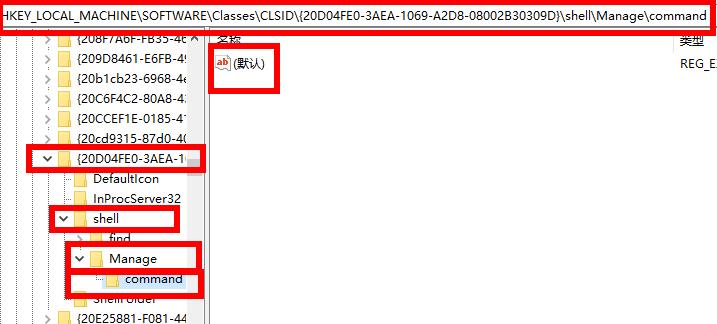
2、依次打开
HKEY_LOCAL_MACHINE\SOFTWARE\Classes\CLSID\{20D04FE0-3AEA-1069-A2D8-08002B30309D}\Shell\Manage\Command。
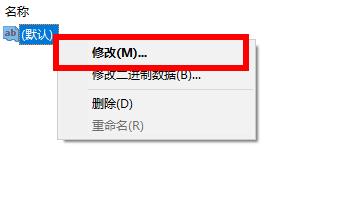
3、右击右侧的“默认”点击“修改”。
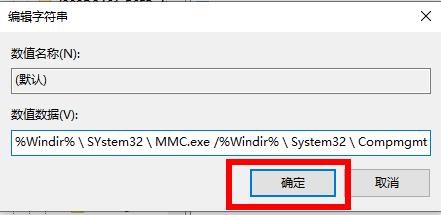
4、将数据数值修改为%Windir%\SYstem32\MMC.exe /%Windir%\System32\Compmgmt.msc即可。